

Computer Graphics
Lecture 08 – Global Illumination
Edirlei Soares de Lima
<edirlei.lima@universidadeeuropeia.pt>
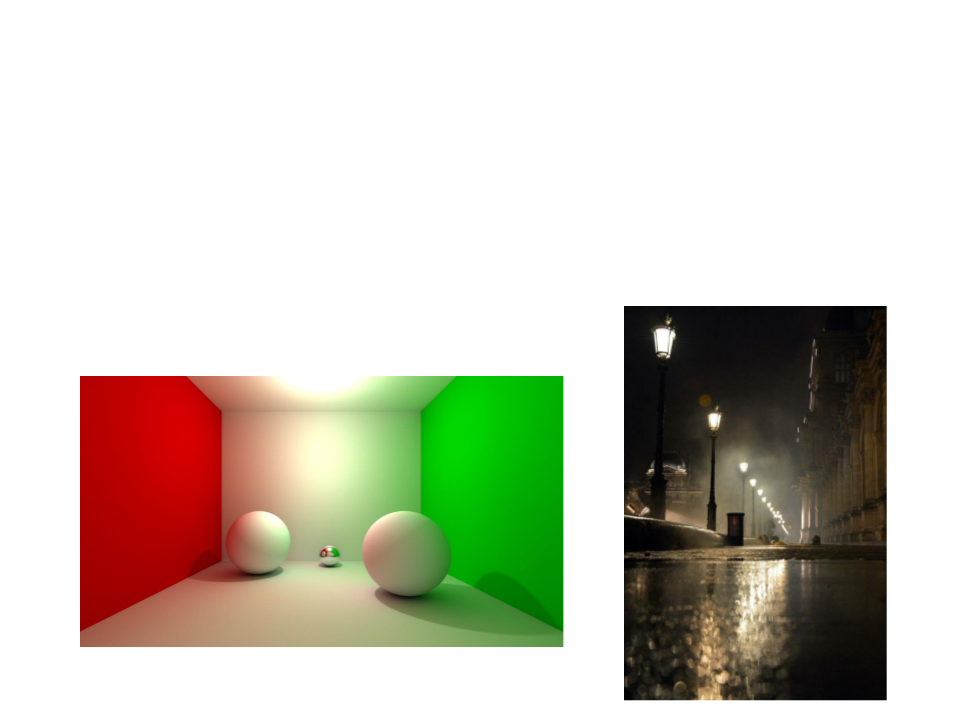
Global Illumination
•
Many surfaces in the real world receive most or all of their
incident light from other reflective surfaces. This is often
called indirect lighting or mutual illumination.
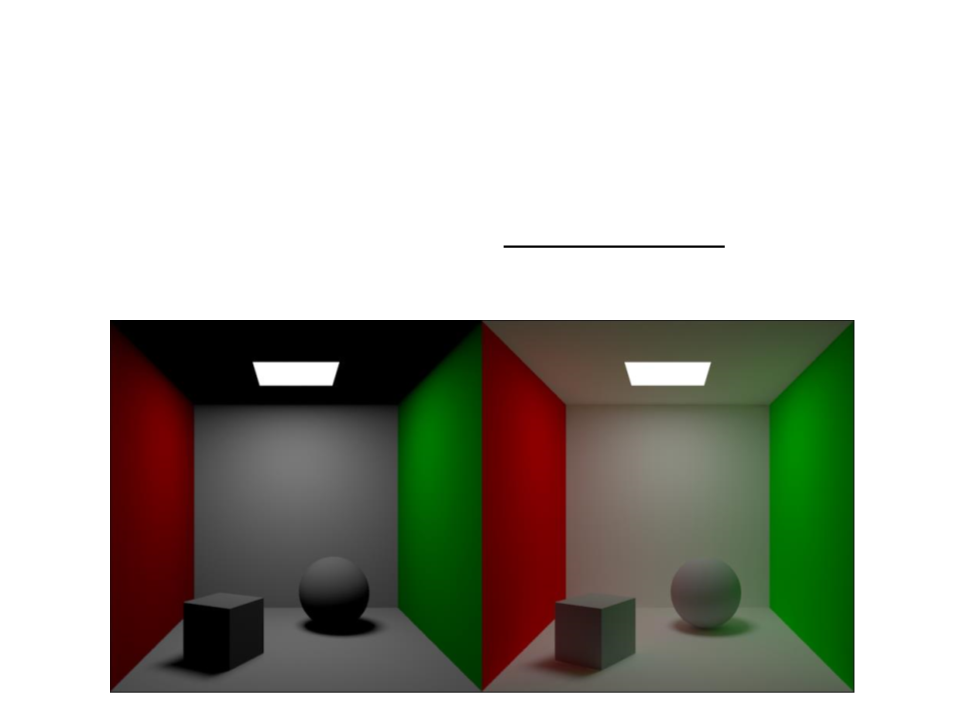
Global Illumination
•
Although accounting for the interreflection of light between
surfaces is straightforward, it is potentially costly because all
surfaces may reflect any given surface.
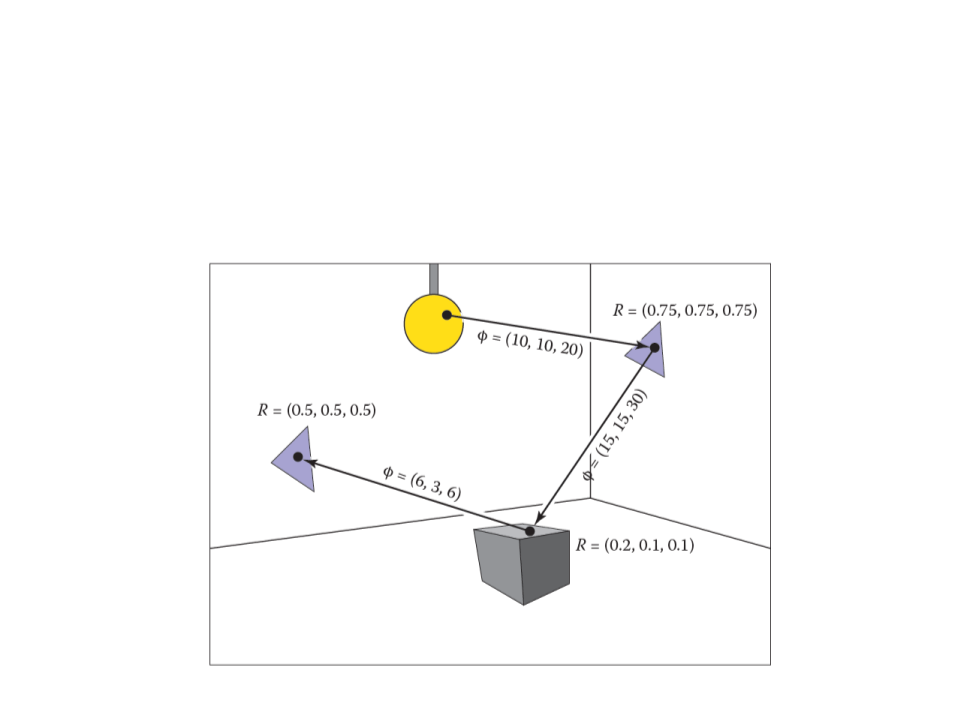
Global Illumination
•
Particle tracing process:

Global Illumination in Games
•
•
Traditionally, video games have been limited to direct lighting.
–
The calculations required for indirect lighting were too slow so they
could only be used in non-realtime situations (such as CG animated
films).
A solution to this limitation is to calculate indirect light in a
pre-processing phase (only for static objects and surfaces):
pre-calculated global illumination.
–
Lightmapping!
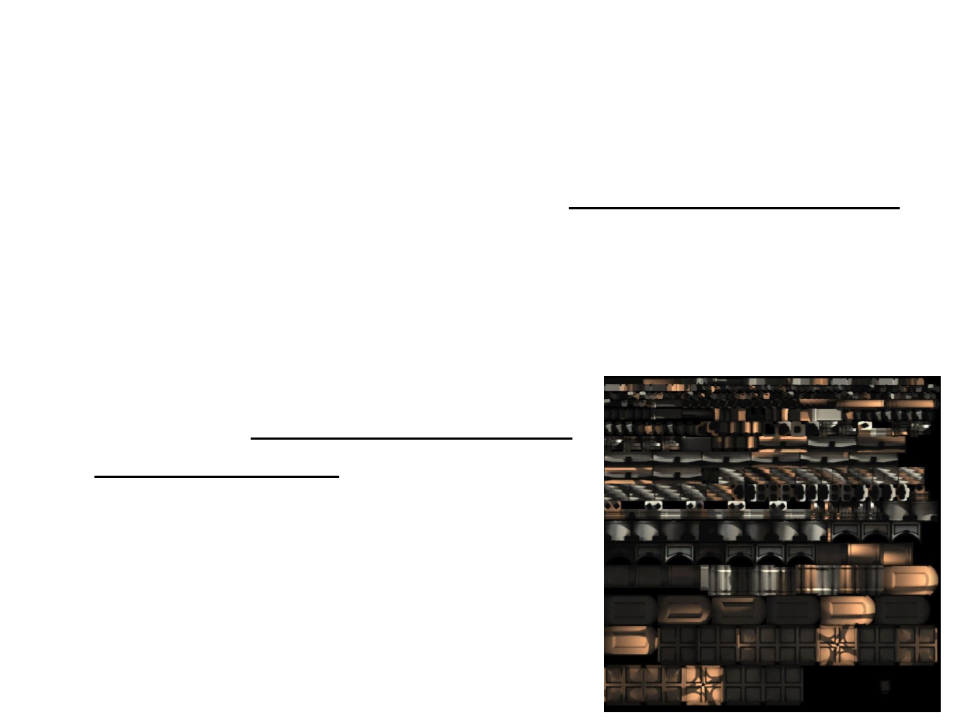
Lightmapping
•
•
Lightmapping is a technique used to store lighting information
into textures.
–
Lightmaps allows global illumination at a relatively low computational
cost.
Instead of lighting the entire scene in
real time, it pre-calculates all lighting
information offline, render it into
textures, and them use the textures
in real-time.
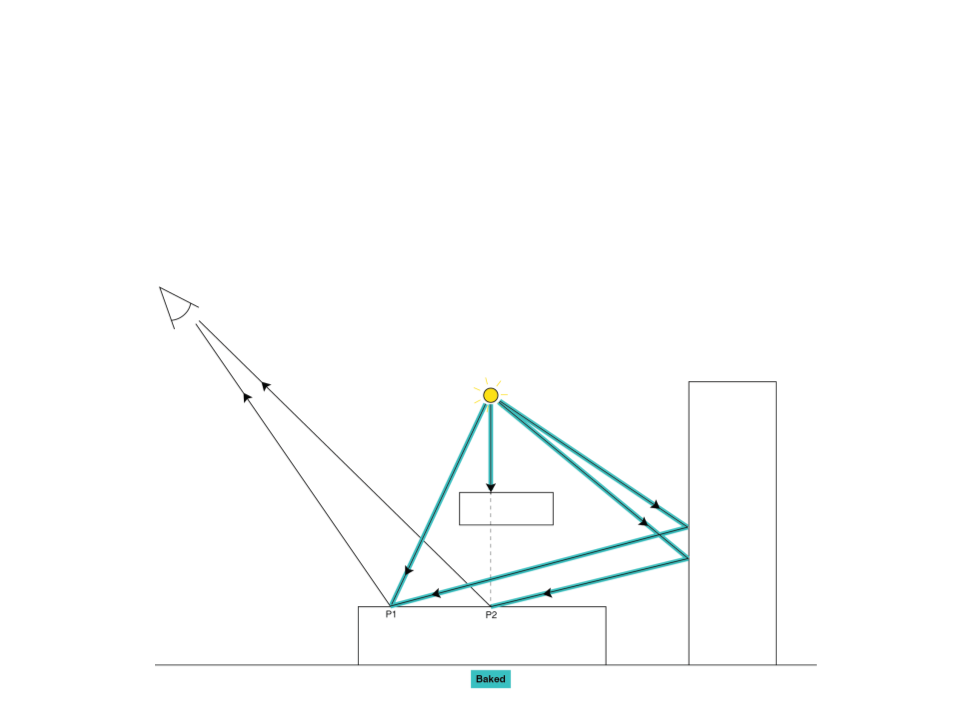
Lightmapping in Unity
•
To create a lightmap, Unity computes the entire light path
offline:
Lightmapping in Unity
•
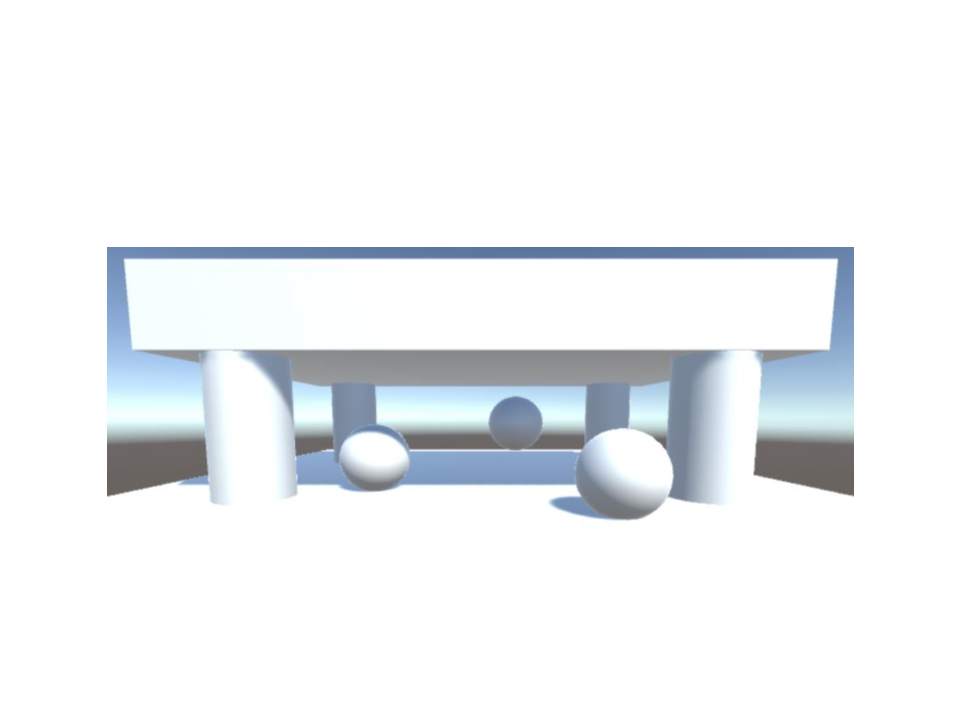
Test scene:
Lightmapping in Unity
•
•
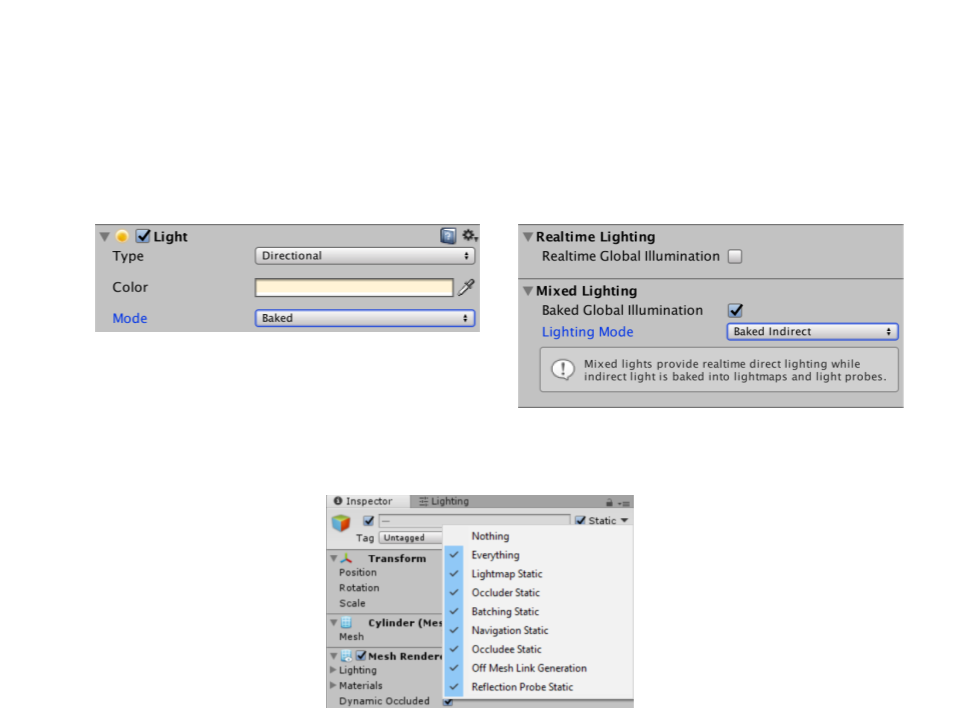
Baked Light configuration:
Static Geometry
–
The objects of the scene must be static:
Lightmapping in Unity
•
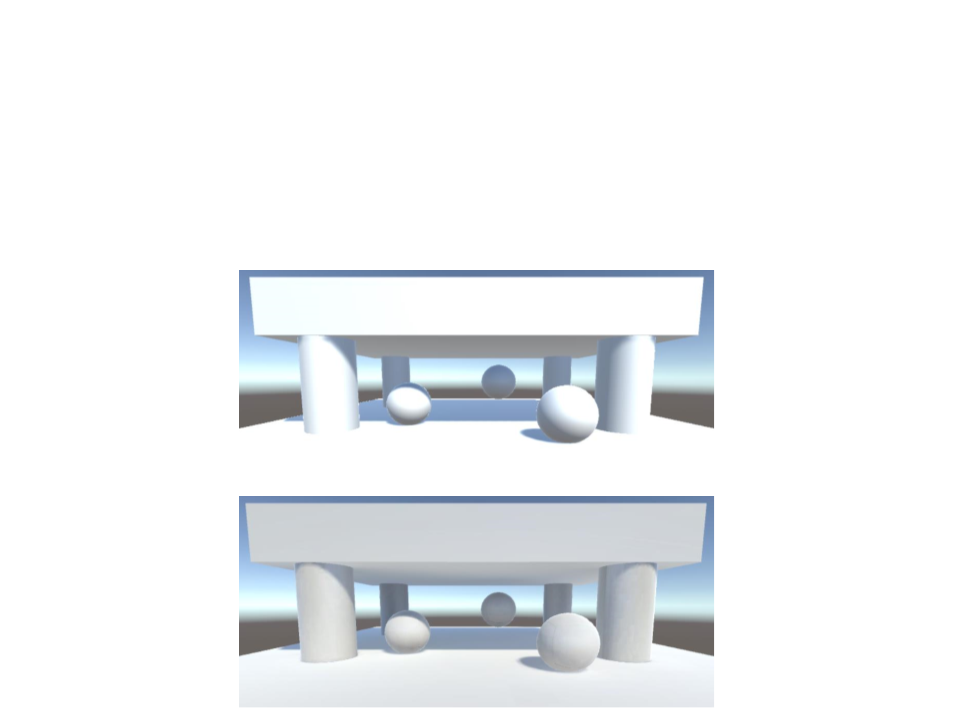
Real-Time Lightning vs. Lightmapped Scene:
–
There is no specular lighting in the lightmapped scene!
Real-Time Lightning
Lightmapped Scene
Lightmapping in Unity
•
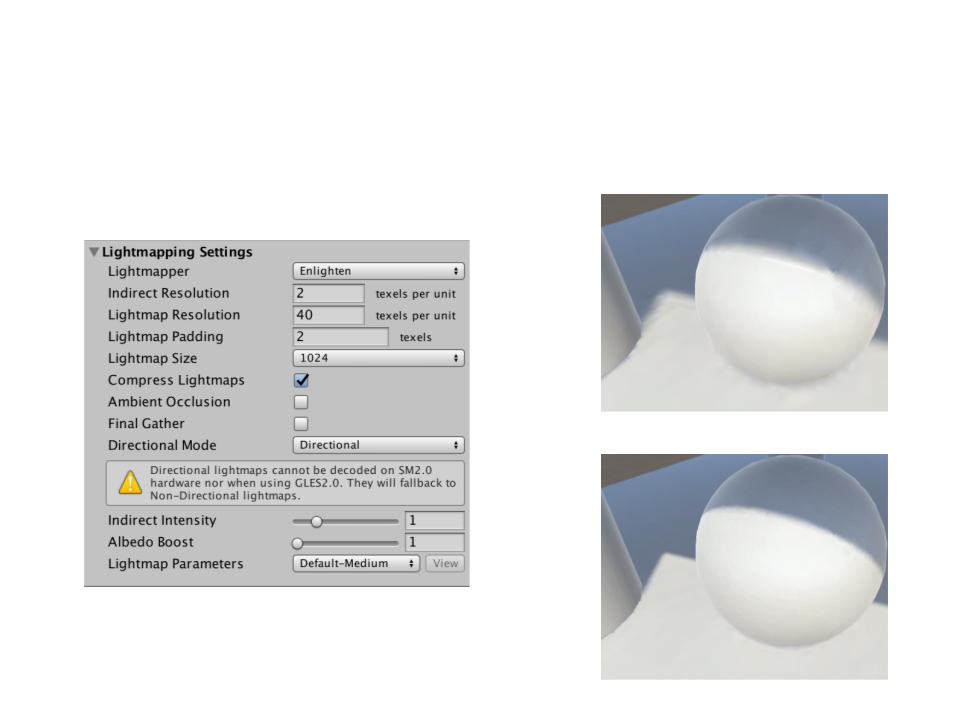
Lightmapping Settings
Default resolution
Higher resolution
Indirect Light
•
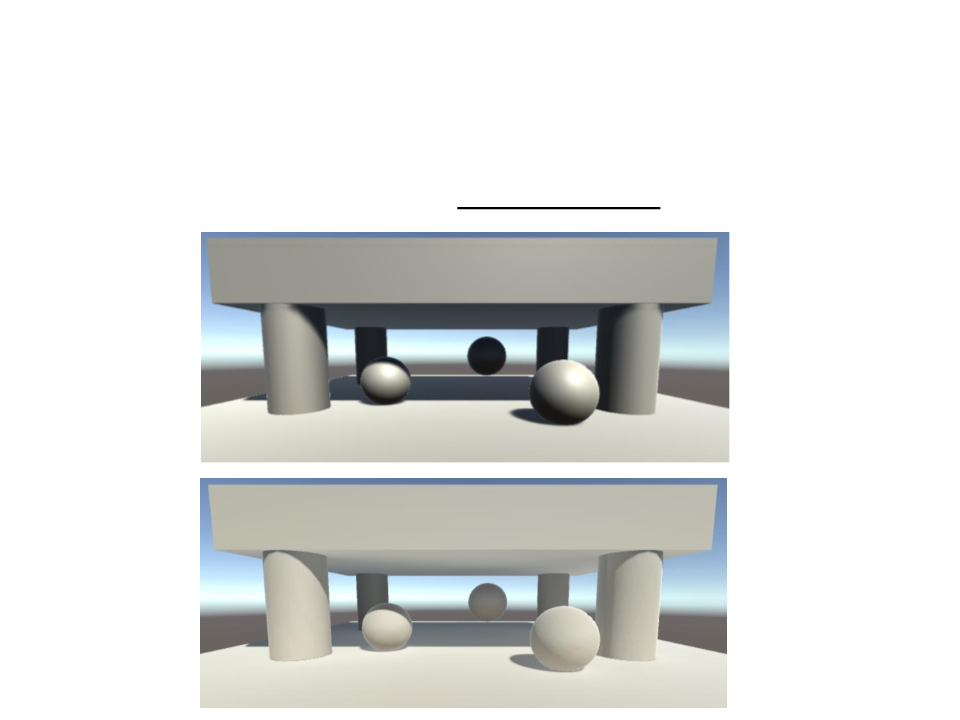
With lightmapping we have indirect lighting.
Real-Time Lightning without Environment Lightning
Lightmapped Scene without Environment Lightning
Indirect Light
•
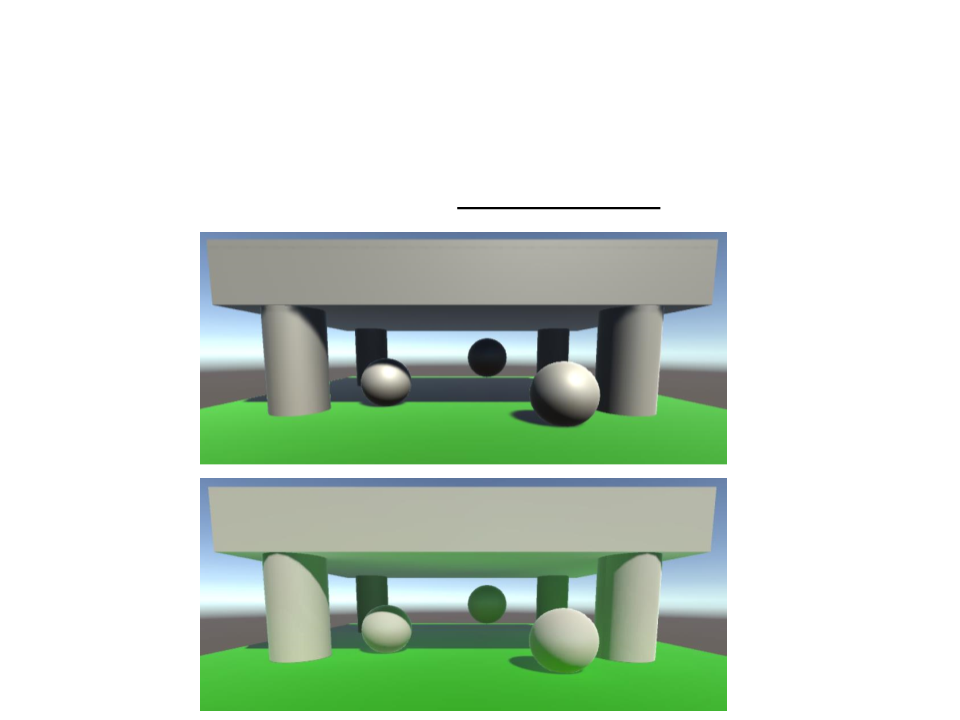
With lightmapping we have indirect lighting.
Real-Time Lightning without Environment Lightning
Lightmapped Scene without Environment Lightning
Indirect Light
•
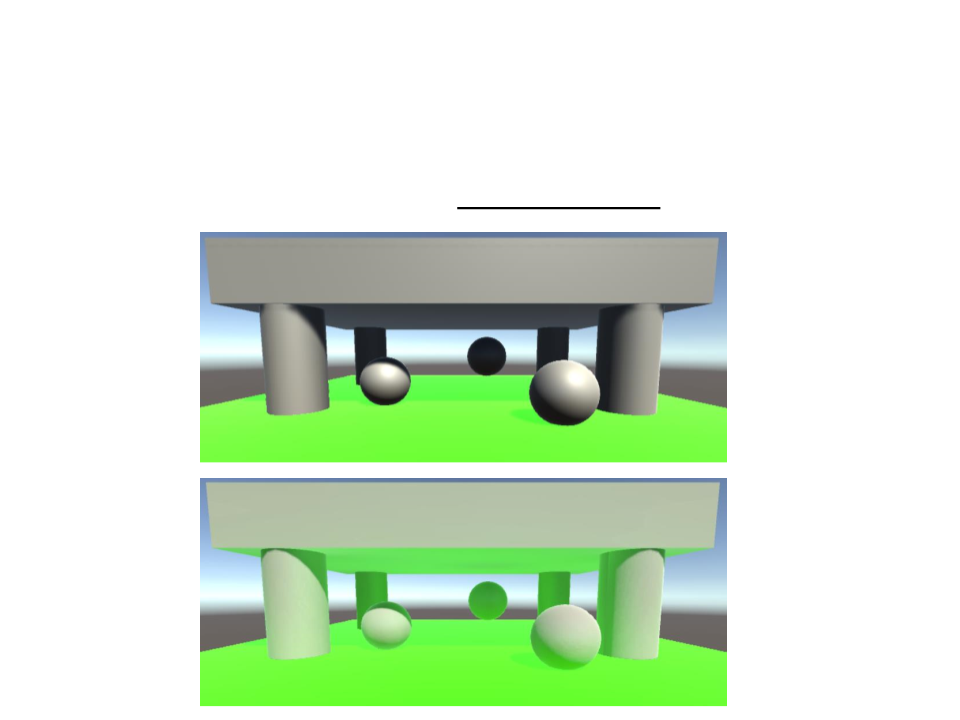
With lightmapping we have indirect lighting.
Real-Time Lightning – Emissive Surface
Lightmapped Scene – Emissive Surface
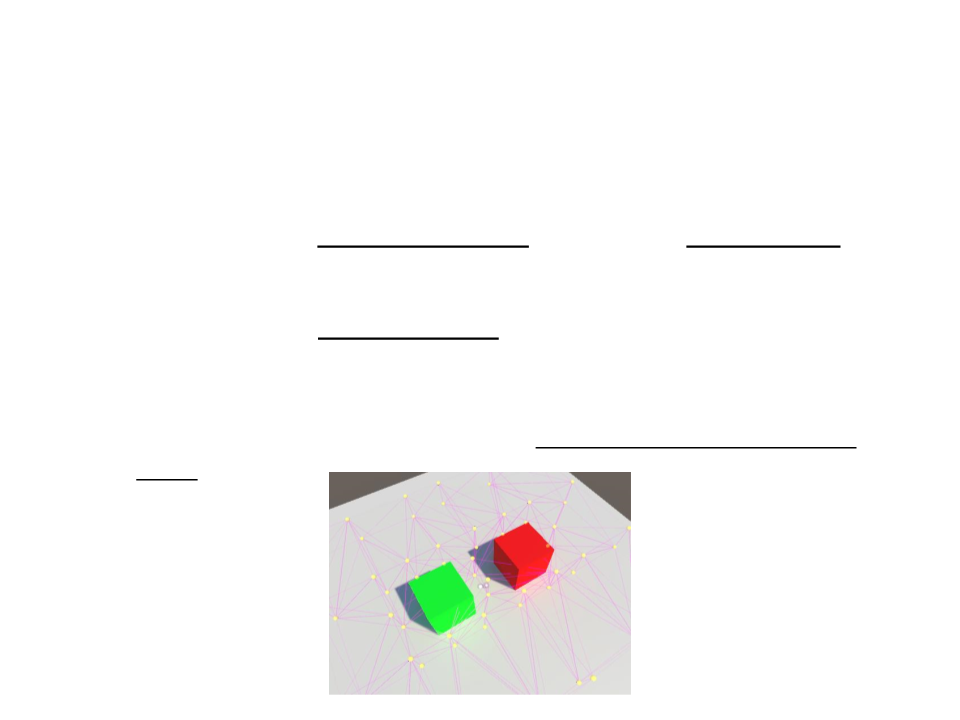
Light Probes
•
•
Lightmaps only work for static objects. In order to apply the
baked lighting to dynamic objects we can use light probes.
A light probe is a point in space that stores information about
the lighting at that location.
–
While lightmaps store information about light hitting the surfaces,
light probes store information about light passing through a empty
space.
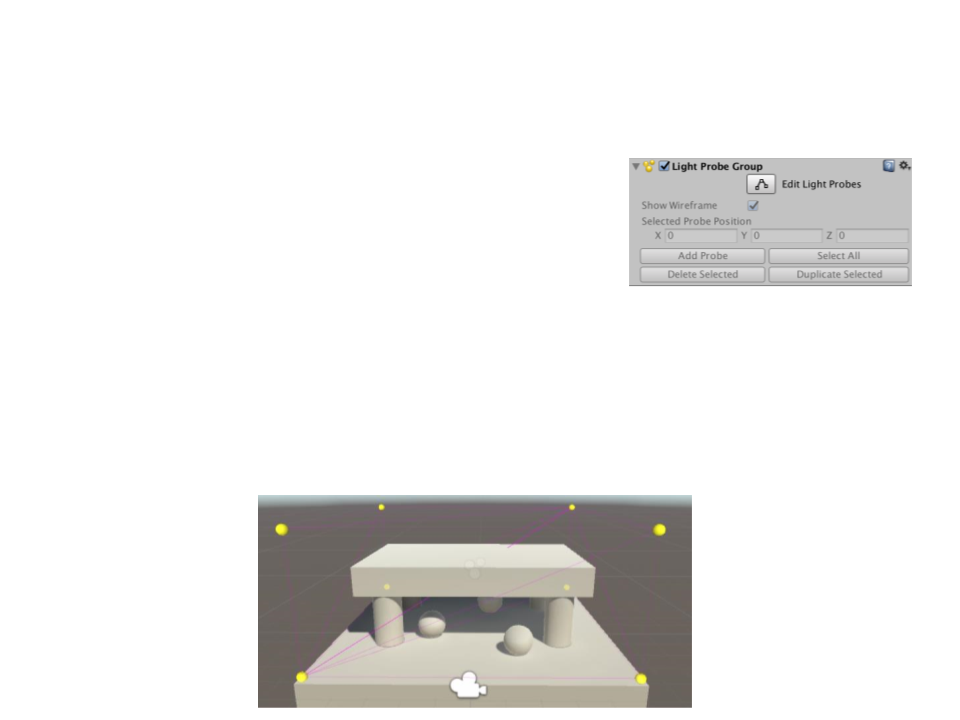
Placing Light Probes
•
•
Add a new group of light probes:
–
GameObject -> Light -> Light Probe Group
Unlike lightmaps, the resolution of the light probe information
is entirely defined by how closely packed the probes are
positioned.
–
Usually you begins by involving the area that will contain dynamic
objects with the probes:
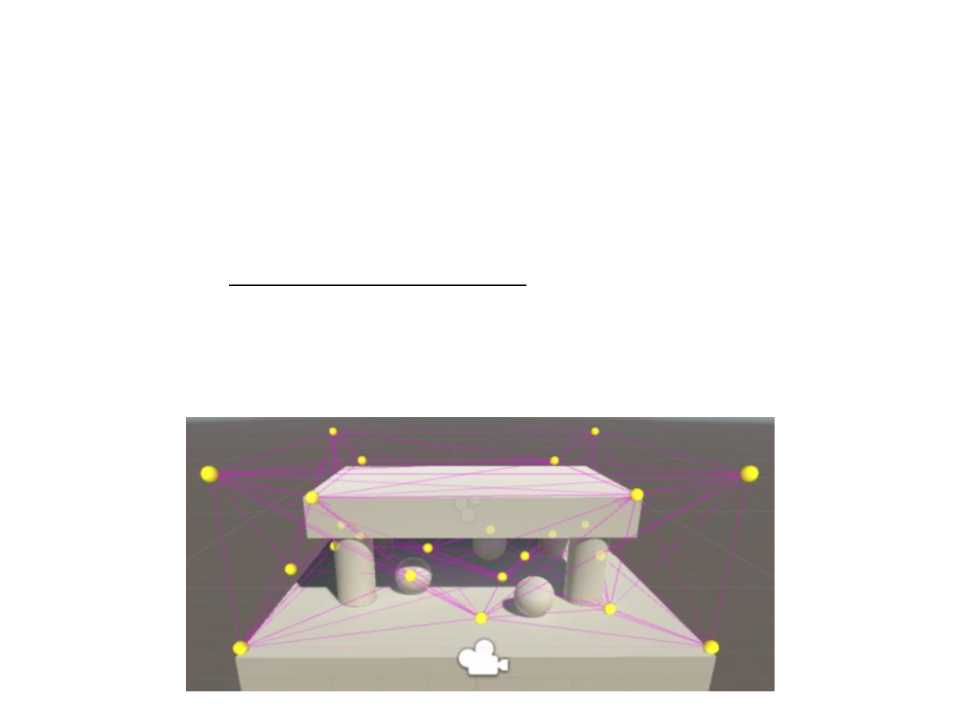
Placing Light Probes
•
Then add more probes depending on how the lighting
conditions change.
–
Place as few light probes as possible. It is essential that you do not
place them inside static geometry.
–
Place then in a more condensed pattern around areas that have
complex or contrasting light.
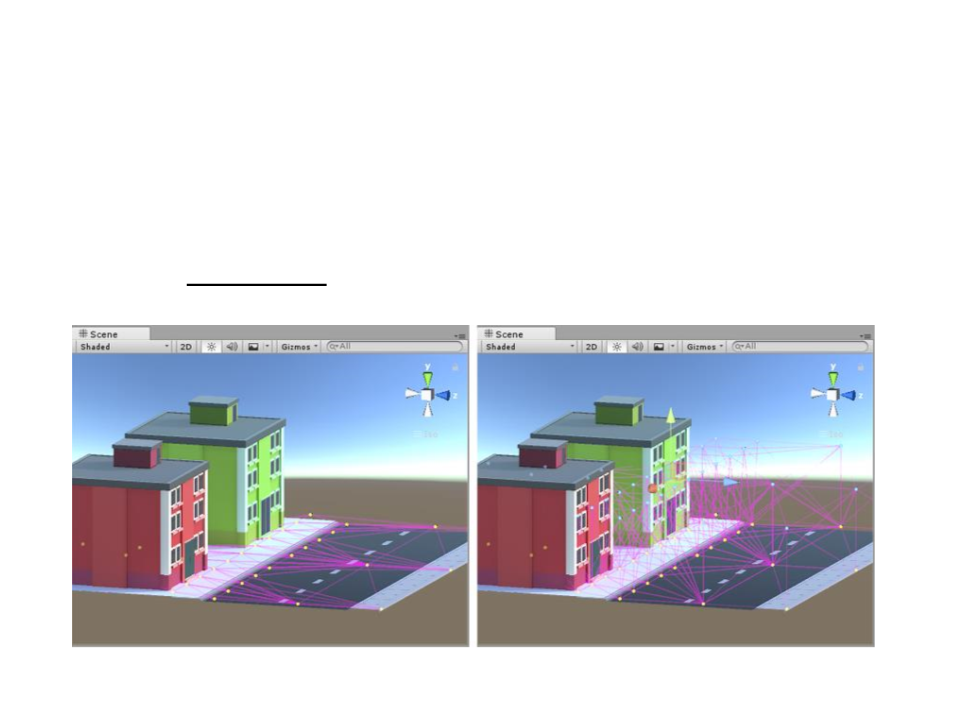
Placing Light Probes
•
Even if the gameplay takes place on a 2D plane (for example,
cars driving around on a road surface), the light probes must
form a 3D volume.
Bad choice of light probe positions
Good choice of light probe positions
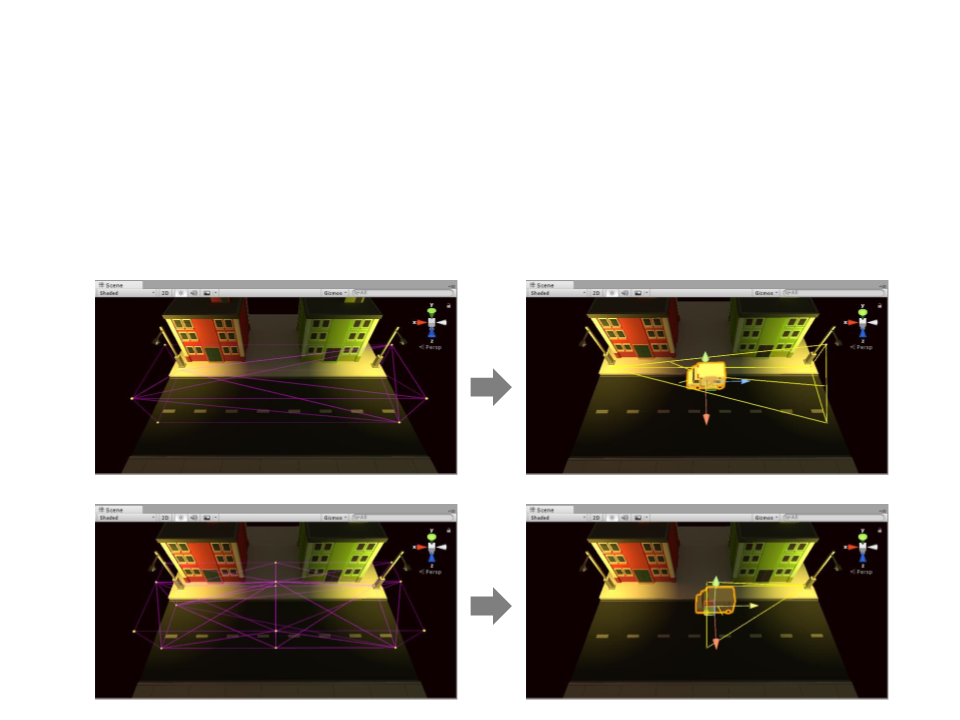
Placing Light Probes
•
Light probe positions must take into account that the lighting
will be interpolated between sets of probes.

Mixed Lighting
•
Lightmaps allow us to compute light offline.
–
Limitations: no specular lighting, no real-time shadows, and we need
light probes to influence dynamic objects.
•
•
Indirect light is the one thing that baked lighting has that real-
time lighting lacks, because it requires a lightmap.
Mixed lights allow indirect light to be combine it with real-
time lighting.
–
Of course this means that shading becomes more expensive.
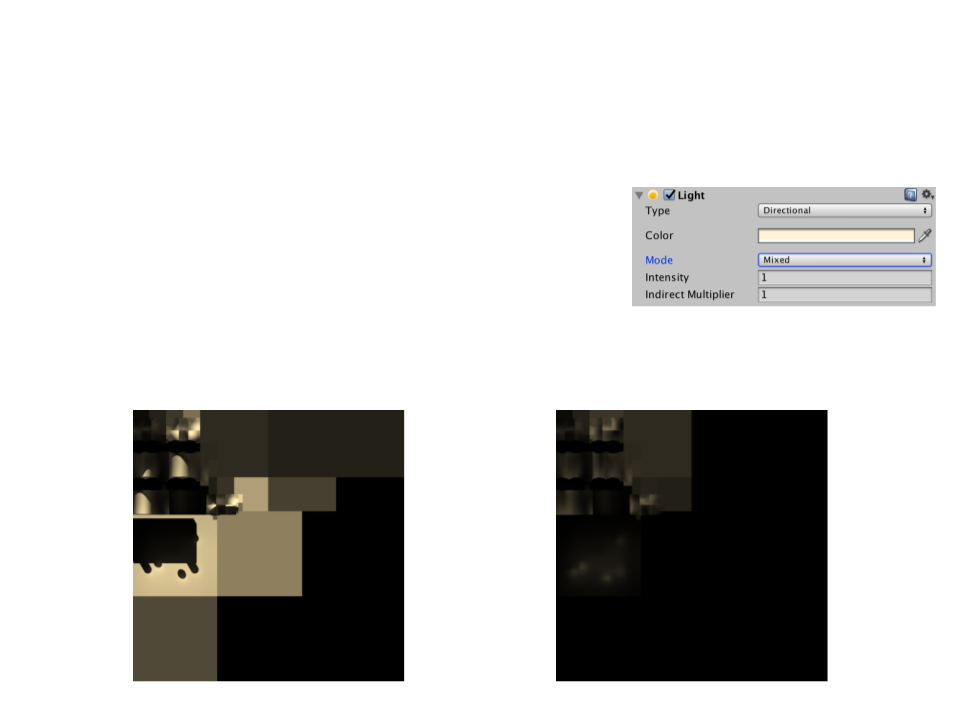
Mixed Lighting
•
To use mixed lighting, the light’s mode
has to be set to Mixed.
–
The lightmap will only store indirect light
information.
–
Dynamic objects use the light probes to
compute indirect light.
Full Lightmap
Only indirect light
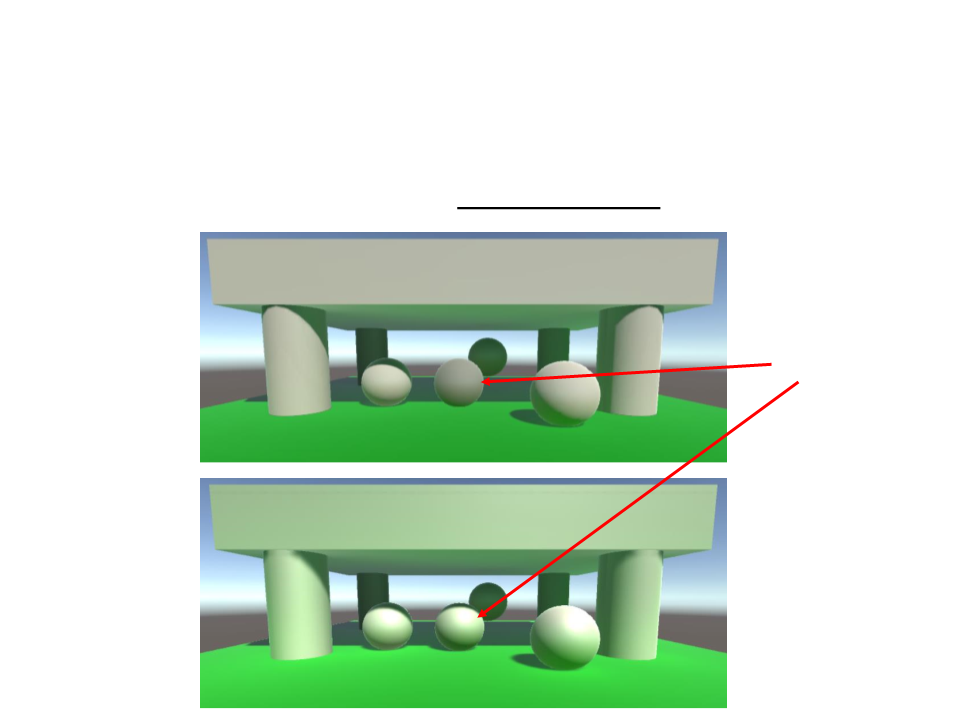
Mixed Lighting
•
With lightmapping we have indirect lighting.
Dynamic Object
Lightmapped Scene
Mixed Lighting Scene
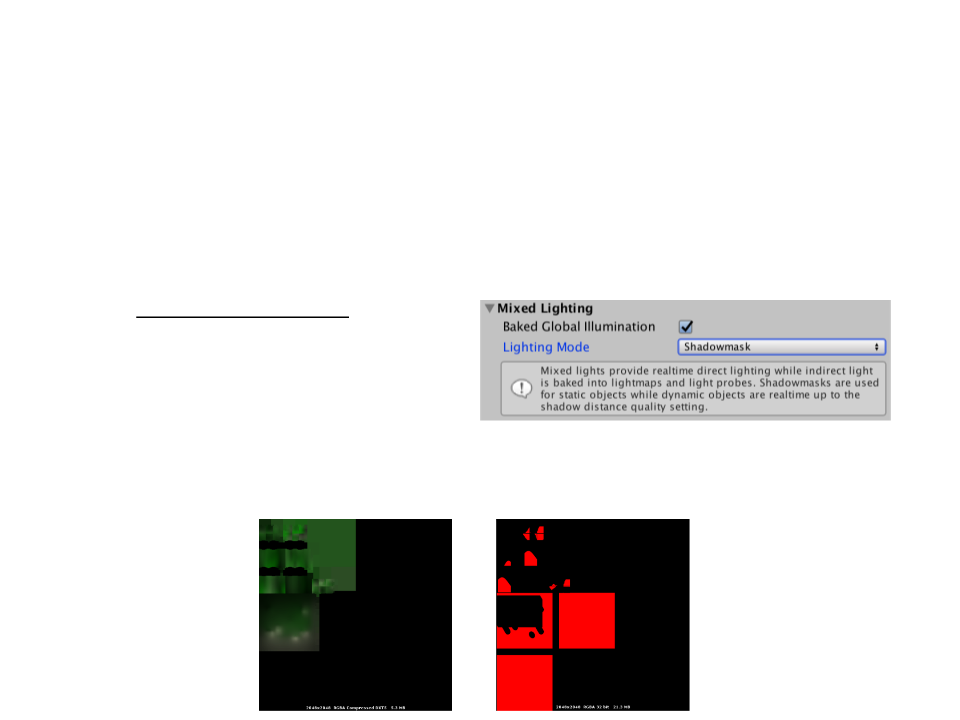
Mixed Lighting
•
•
Mixed lighting is as much expensive as real-time lighting (it
adds lightmaps for indirect light).
–
We can improve this by including shadows into lightmaps:
Shadowmask Mode.
In this mode, both the indirect lighting and the shadow
attenuation for mixed lights are stored in lightmaps.

Mixed Lighting
•
Mixed lighting with shadowmask is not as cheap as fully baked
lighting.
–
Subtractive Mode provides the fast and lowest-quality results: it
renders shadows of dynamic object in real time for only one light, and
composites them with baked direct and indirect lighting.
•
•
Only recommended for platforms that are unable to use any
of the other modes.
Limitations:
–
No specular lighting;
–
Dynamic shadows only for one Directional Light

Realtime Global Illumination
•
•
Lightmapping works very well for static geometry, but it
cannot deal with dynamic lights (like the sun traveling across
the sky).
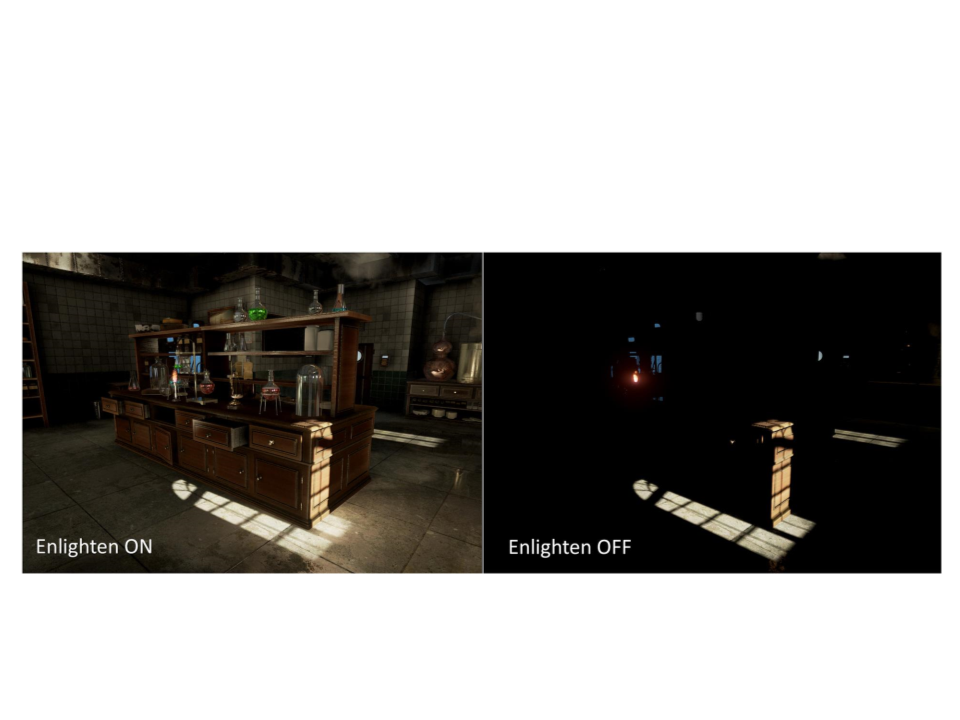
To support real-time global illumination, Unity uses
the Enlighten system (developed by SiliconStudio).
•
It still requires a precomputation phase similar to the
lightmapping process, and it is still limited to static
objects.
•
It precomputes all possible light bounces in the scene
and encodes this information for use at runtime.
Realtime Global Illumination
•
Enlighten System:
Realtime Global Illumination
•
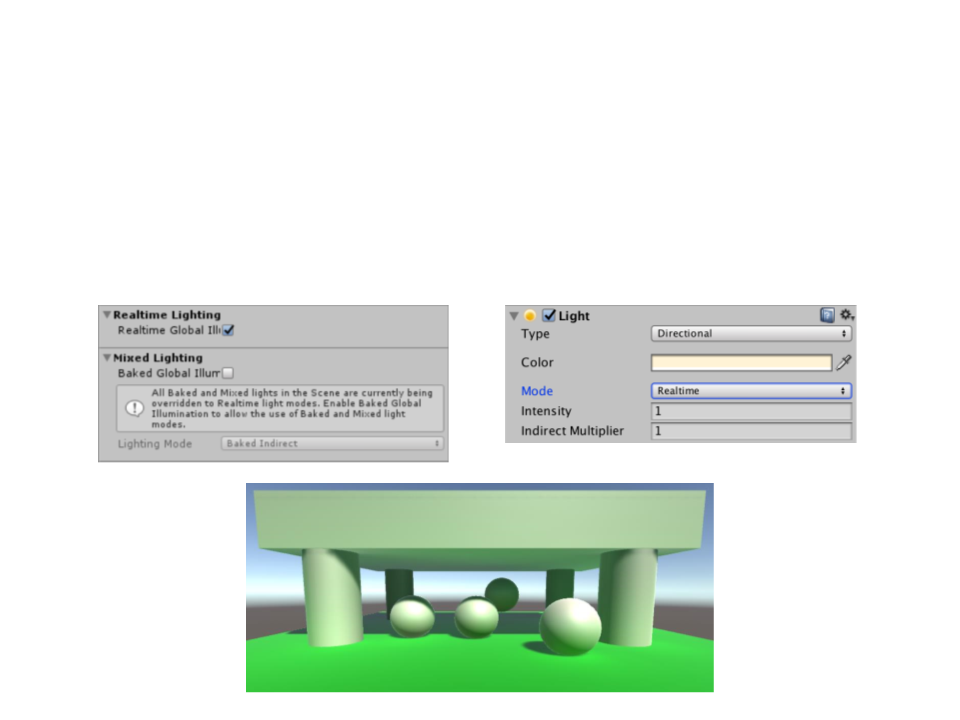
Realtime global illumination can be enabled independent of
baked lighting. In addition, the Light Mode must be set to
Realtime.
Realtime Global Illumination
•
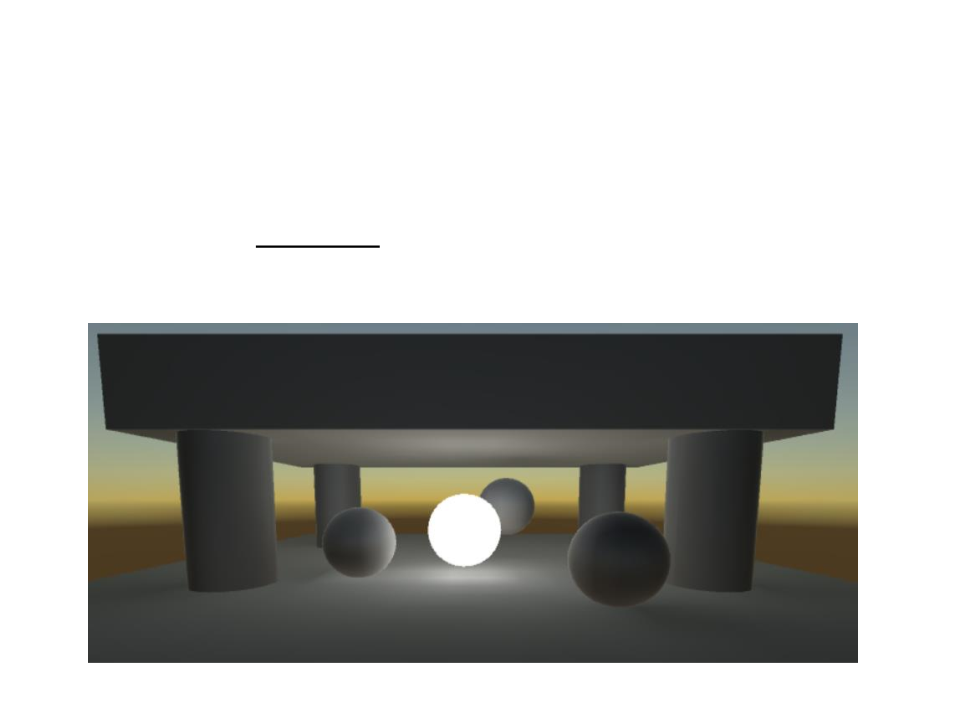
Realtime Global Illumination can also be used for static
objects that emit light. This makes it possible to vary their
emission with matching realtime indirect light.
Realtime Global Illumination
•
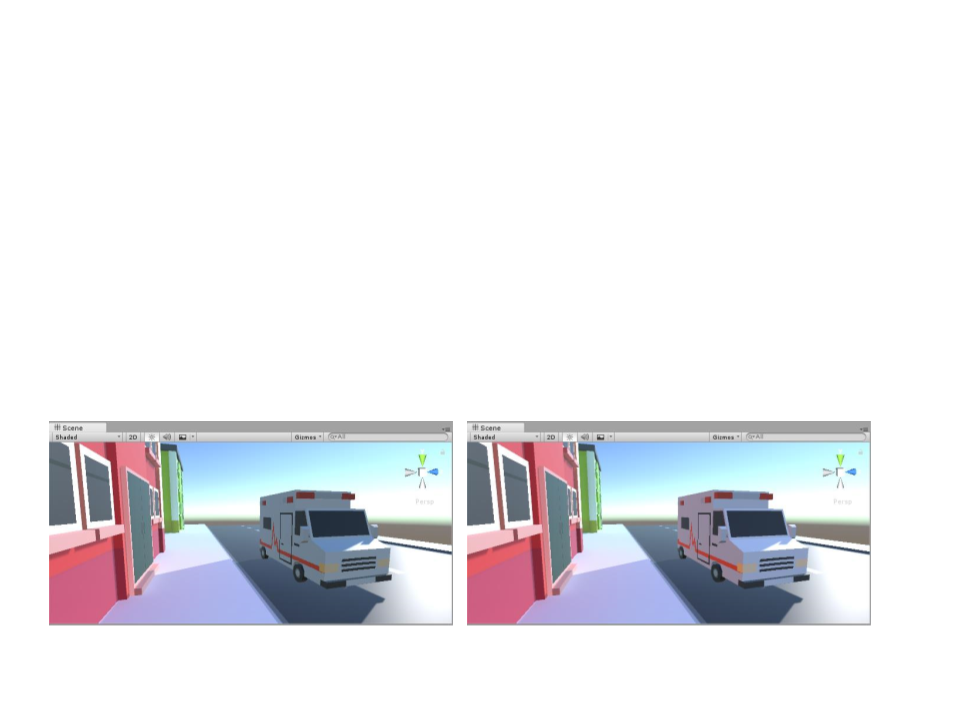
Precomputed Realtime Global Illumination also has the
limitation that only static objects can be included in the
precomputation (moving objects cannot bounce light onto
other objects).
–
However, they can still pick up bounce light from static objects using
Light Probes.
Moving ambulance without indirect light
Moving ambulance with indirect light from light probes
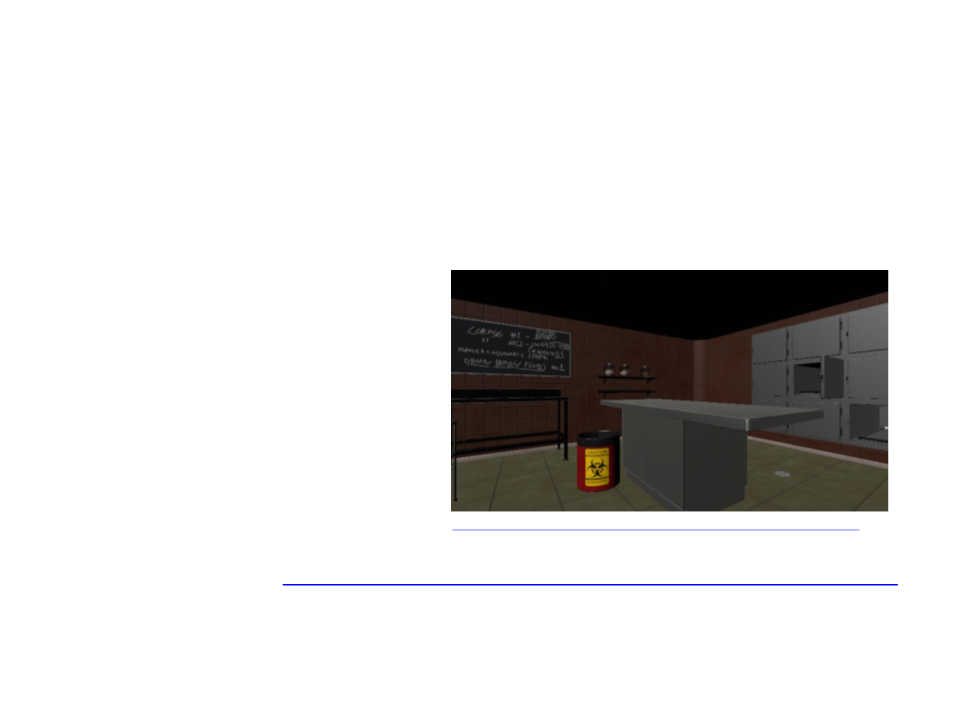
Exercise 1
1
) Add lights and configure global illumination for the morgue
room scene.
–
The scene must have:
•
Emissive ceiling lights;
Indirect lighting;
Shadows;
•
•
https://assetstore.unity.com/packages/3d/environments/morgue-room-pbr-65817
–
Base Scene: http://www.inf.puc-rio.br/~elima/cg/morgue_room.html

Further Reading
•
•
Marschner, S., et al. (2015). Fundamentals of Computer
Graphics (4th ed.). A K Peters/CRC Press. ISBN: 978-
1482229394.
–
Chapter 33: Global Illumination
Web:
–
–
–
http://catlikecoding.com/unity/tutorials/rendering/part-16/
http://catlikecoding.com/unity/tutorials/rendering/part-17/